Your employees tap in, you see everything
NFC time tracking. Accurate timesheets, no spreadsheets, no paper.
Or write to us at info@timewise.rs
Up and running in ten minutes
Setup takes a coffee break. Employees tap an NFC card on the way in and the way out. Timewise records the times, pairs the shifts, and hands you a payroll-ready timesheet.
We set up your workspace
We create your organization. You add locations, invite your managers, and get going, no IT team.
Assign NFC cards
Hand each employee a card. They tap on the way in and on the way out, and Timewise records both.
Approve and export
At the end of the period you review the timesheets and approve them. One click exports a file your payroll team can use straight away.
Built for accurate timesheets
Six features that cover the whole timesheet, from the door to payroll.
Tap in and tap out
Employees tap once to clock in, again to clock out. If the same card hits the reader twice in a second, Timewise drops the duplicate.
Manual entries with notes
If someone forgets their card, a manager logs the entry by hand and attaches a note. Manual entries carry a tag, so you tell them from NFC taps at a glance.
Clock event amendments
Corrections don't overwrite the original. Each amendment is its own record. The first timestamp and the reason for the change stay on file.
Work rules per location
Each location has its own shifts, working days, and grace periods. The warehouse runs a night shift while the office runs nine to five, and Timewise keeps them separate.
Pay period approvals
Pick weekly, bi-weekly, semi-monthly, or monthly. Managers review and approve each period, and one click reopens a timesheet when it needs another look.
Custom export
Export approved timesheets in a format tailored to your payroll software. Pick the columns and the locale, then send the file.
Built for real-world operations
Multiple sites, different shift rules, the occasional missed tap. Timewise handles all of it.
Audit log and tenant isolation
Every change to your data lands in an audit log: who, when, the old value, and the new one. And each business runs in its own slice of the database, isolated from the rest.
Multi-location, scoped access
Run all your locations from one dashboard. A manager sees only the sites they're assigned to, and the rest of the company stays out of view.
NFC card lifecycle
You assign cards to employees and revoke them when someone leaves. Per-location quotas keep the inventory in check.
Unknown card alerts
An unknown card tap goes straight to the alerts dashboard. You see attempted access next to the real clock-ins.
Sentinel devices
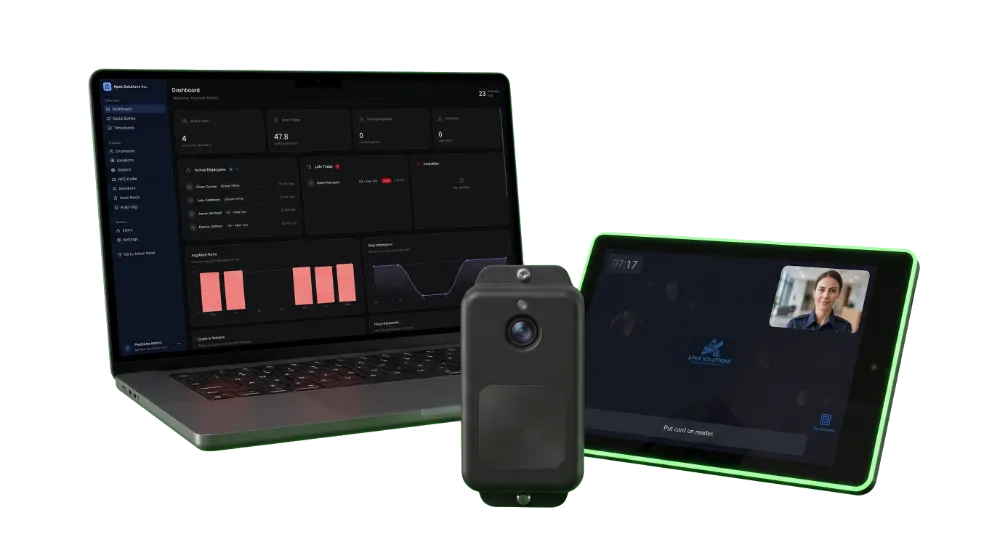
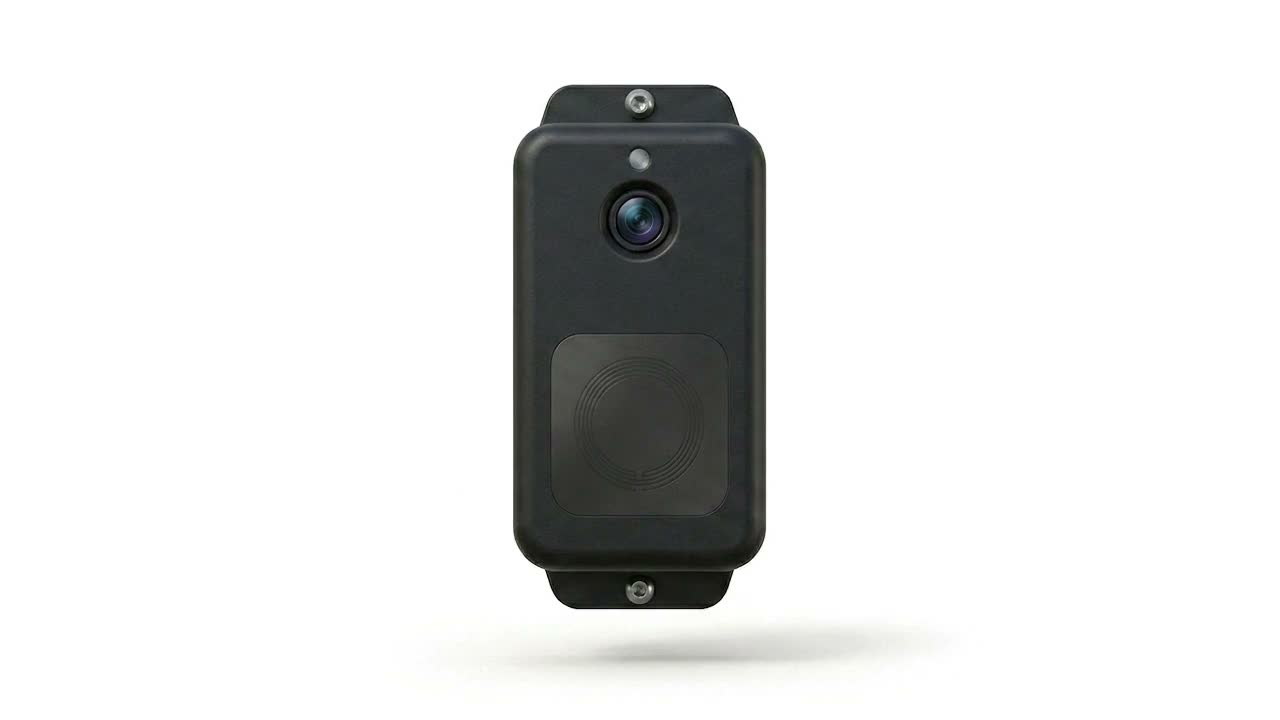
Choose the Sentinel reader or the Sentinel tablet kiosk. We watch the health of every device, push updates, and triage issues the moment they come up.
Two-factor authentication
Turn on TOTP two-factor for managers and owners. Any authenticator app works, and backup codes cover you if the phone goes missing.
Built for teams that need certainty
Use Timewise when guesswork on payroll, compliance, or attendance isn't on the table.
HR managers
who need clean time records for payroll and audits.
Operations leads
who want to know who's on site, on time, every shift.
Owners
who'd rather grow the business than chase paper timesheets.
Frequently asked questions
What if an employee forgets their card?
A manager logs the time by hand and adds a note. The entry is tagged as manual, so it reads apart from an NFC tap in the records.
Can recorded times be changed?
They can, but the original stays. Each correction is its own record with a reason for the change, and the first timestamp is never overwritten.
Does Timewise work across multiple locations?
Yes. Run every location from one dashboard, each with its own shifts and rules. A manager sees only the sites they're assigned to.
What hardware do we need?
The Sentinel reader or the Sentinel tablet kiosk. Both connect to Timewise, and we monitor their health and update them remotely.
What does the payroll export look like?
Export approved timesheets in a format tailored to your payroll software. Pick the columns and the locale, then send the file.
See it for yourself
Book a 15-minute walkthrough. We'll show you a tap, a shift, and a payroll export.
Or write to us at info@timewise.rs